Changelog
New features, improvements, and fixes shipped to myHERALD.
See and steer what myHERALD learned
When you reject a post or ask for a rework, you can now choose From now on, always. myHERALD turns your feedback into a short style rule and applies it to every new draft, not just the next one. Your exact numbers and examples stay in the rule, so "max. 3 hashtags" does not turn into "use few hashtags".
The new What myHERALD learned page in the sidebar shows every rule. Edit the wording, change which platforms it applies to, pin the ones that matter most, or delete a rule you no longer want. Deleted rules are never suggested again. You can also add a rule yourself, for example "No emojis, short sentences."
Corrections you make more than once show up as suggestions. myHERALD only uses a suggestion after you accept it.
Your rules come first, and skills can follow them
A rule you set now takes precedence over your Brand Voice Guide and your other skills. Facts, sources, legal requirements and platform limits still always win.
If a new rule contradicts a skill, myHERALD tells you which one and why. Choose Adapt skill and myHERALD proposes a minimal change to that skill: only the conflicting part is rewritten, everything else stays exactly as it is, and you see the change before it is saved. Or choose Keep as is and the notice goes away.
This works in chat too. Tell the agent what to do from now on and confirm. If the rule contradicts a skill, the agent shows the proposed change and only saves it after you agree.
If a member without permission to edit skills creates a rule that contradicts one, the rule waits until an owner or admin confirms it.
Rule suggestions from your results
Once a week, myHERALD looks at how your published posts actually performed and suggests rules based on what works and what does not. Each suggestion shows the numbers behind it and how many posts it is based on.
These are always suggestions, never automatic changes. Nothing applies until you accept it, and if a suggestion would replace one of your existing rules, it says so first. When your results back up a rule you already have, the rule gets a Confirmed by results label.
Know when a rule needs your decision
When a rule waits for you, for example a new suggestion or a conflict with a skill, you now get one notification in the bell. The Learned rules entry in the sidebar shows how many rules wait for your decision.
You only see what you can act on: owners and admins see everything, editors see the suggestions they can accept. If you created the rule yourself, you are not notified about it again.
Trend charts you can read at a glance
The trend charts on the Analytics page are easier to read. Axes use round steps, so impressions read 0, 2, 4, 6 instead of 0, 2.9, 5.8. Lines continue through weeks without posts instead of breaking into single dots. Colors that looked almost identical are now clearly different.
A new Platform Performance Over Time card shows one line per platform, so you can see which channel is growing and which is flattening.
More of the app in German
If you use myHERALD in German, more screens now speak German too: hashtag and media-limit warnings in review, the auto-archive countdown, research, billing, pasting content and the Google Drive folder picker. When the submit button is disabled, it now tells you why.
Know when a scheduled post will not go out by itself
Approving a post with a date moves it to Scheduled. But it only publishes on its own when auto-publish is on, and auto-publish is off until an owner or admin turns it on. Until now nothing on screen told you that, so posts could wait in Scheduled without anyone noticing.
Review, calendar and the board now show a short notice when that is the case. Owners and admins can turn auto-publish on right there. Before anything happens, myHERALD tells you how many approved posts are already past their date and would go out at once. Everyone else sees who can turn it on. You can close the notice for good; the switch also stays on the Tasks page.
Stop means stop in chat
Pressing Stop now reliably cancels the reply that is running, also after you sent a new message while the agent was still working.
A dropped connection no longer starts a second reply to the same message. Instead, the chat reloads the answer that was already being written.
Videos on X publish again
Posts to X with a linked video now include the video. Before, the post could go out as text only, without any warning.
Newer image models and longer audio
Two new OpenAI image models are available under Settings → Agent Config: gpt-image-2.5 Flare (fast, best value) and gpt-image-2.5 Sunburst (precise edits). Images you already generated stay as they are.
Audio files you attach in chat are no longer limited to 25 minutes. Any file up to 25 MB gets a transcript.
Linked PDFs now show a thumbnail on the content board.
Pick up setup where you left off
If you leave onboarding halfway, a banner on your dashboard lets you finish it. You can also restart setup any time from Help → Set up workspace.
The help menu now has a direct line to the founder: book a 15-minute call or write an email. Neither subscribes you to anything.
See your post the way your audience will
Review now shows a preview that looks like the post in the feed of its platform: LinkedIn, X, Facebook, Threads, Bluesky and Reddit. It uses the account you are posting to and the media you attached, so you can check line breaks, images and length before anything goes out.
Switching between Edit and Preview is simpler, and myHERALD remembers which one you prefer.
Ask for the platform you are missing
Missing a platform? Request it directly on the integrations page. We use these requests to decide what to build next.
Fewer surprise logouts
A short network hiccup no longer logs you out. And if your session has really expired, you now land on the login page instead of a page that does not load.
Instagram trial Reels and an Instagram preview
Instagram posts now have their own preview in review and in the publish dialog, for mobile and desktop.
When you publish a single video to Instagram, you can choose a trial Reel. Instagram shows it to people who do not follow you first, so you can test a video before it reaches your followers. Trial Reels are real posts that real people see, not a private preview. You decide later in Instagram whether to share it with your followers.
Videos in chat come with a transcript
When you upload a video of up to 10 minutes in chat, myHERALD now transcribes its audio and uses the transcript as material for your posts. Turn a recorded talk or a quick voice memo on camera into a post without typing it up first.
Large video uploads up to 100 MB also go through reliably now.
Enter a posting time without losing focus
Typing a preferred posting time in Agent Configuration no longer makes the field lose focus after the first digit. You can enter a time such as 14:00 in one go.
Better brand context for images requested in chat
Image prompts written by the agent now receive your active visual style guide. The agent can also retrieve your configured logo directly from the library, including older uploads. If that logo cannot be loaded for generation, the request stops instead of continuing without it.
The Illustrating badge now appears when image generation begins, rather than after the image is finished.
Ask the agent about a specific calendar period
The chat agent can now look up content for a specific date range and retrieve additional results when needed. Previously, its lookup defaulted to the most recently created items, which could leave gaps in calendar answers.
Published posts use their actual publication date. Unpublished items use their scheduled date.
Your edits belong in the version history too
Manual changes to a content item are now saved in its version history, so you can compare your edits with earlier drafts. The review screen distinguishes human edits from AI revisions. Changes you make yourself no longer show the purple notice claiming that the AI rewrote them.
Compare and restore skill versions
Skills now keep a history whenever you or the agent change them. Compare two versions in the dashboard, see what changed, and restore an earlier version. Restoring creates a new version and preserves the history in between.
History starts with the version saved when this feature was introduced. Earlier changes cannot be reconstructed.
Sort your review queue
The review queue was stuck on one order, oldest at the top, with no way to change it. Now there is a sort control sitting next to your filters.
Sort by newest or oldest, by when a piece was created, by when it is scheduled to go out, or by quality score in either direction. Handy when you want to clear the strongest drafts first, or deal with whatever publishes tomorrow before anything else. Your choice sticks between visits, and oldest first stays the default, so the piece that has been waiting longest is still the first thing you see.
A clearer LinkedIn connection screen
Connecting LinkedIn now opens with a short, plain-language notice instead of a wall of legal text. It tells you what myHERALD reaches for, what it does with it, and how to take it back. Disconnecting revokes access, withdraws your consent, and deletes the cached data. If we ever change what the notice says, you get asked to read the new version before the connection carries on.
LinkedIn's own mark now shows up wherever the platform appears in the app, so it is obvious at a glance which channel you are looking at.
First comments post themselves, and only once
Write a first comment on a piece and myHERALD now posts it for you as soon as the post goes live, on every platform that supports one.
If you already posted that comment by hand, or switched the option off for that piece, myHERALD leaves it alone. No duplicates, no second copy of your link showing up under the post.
Openers that start with something real
Drafts had a habit of opening on a bold claim, because a claim is the one opener that needs no evidence behind it. The writer now opens on something the material actually supports: a moment, a decision, a result, a number, a named source. Borrowed statistics and openers that just restate the title are out.
Every draft also gets a short self-edit pass before it reaches you, so the copy arrives tightened rather than needing a first clean-up from you.
Bring an archived campaign back
Archiving a campaign used to be one-way. The archived campaign was still listed, you could still open it, and there was nothing to click. There is now a Restore button that brings it back as a draft, ready for you to activate when you want it running again.
Autopilot knows how full your week already is
Before it plans anything, Autopilot now reads the next seven days of your calendar and everything already scheduled in them. By default it places at most one post per platform per day and keeps a four-hour gap between posts on the same platform, and it fills your strongest empty days before adding a second post anywhere.
If a plan does not fit, it creates what fits and tells you exactly what it could not place. It never moves, archives, or deletes work you already have to make room.
Posting times follow your own saved preferences first, then what has actually performed in your workspace, then a dated platform benchmark, and only then a neutral guess based on where your audience is. You set the timezone, the daily cap, the gap, and your audience regions in Agent Config, which is now split into collapsible sections so you can get to the part you want.
Video posts, and a review queue that works on your phone
Larger video files now upload in parts, so publishing a video no longer falls over partway through, and completed video attachments stay attached in chat.
Review and settings also got a proper mobile layout. Approving a few drafts from your phone while you are somewhere else is now a reasonable thing to do.
Chat that keeps its place
Switching workspaces mid-run used to kill the run. It does not anymore, so you can go look at something else while HERALD works.
The phase badges in chat also tell the truth now. They follow what the agent has actually done rather than what it said it was about to do.
Your filters survive going back
Filter the pipeline board or your review queue to one platform, open a card, hit Back, and the filter is still there. Platform, content type, tags, and search now live in the URL, so reviewing a filtered set no longer means re-selecting the filter before every card. It also means you can copy the link and land on the same view.
Scheduled posts publish, and say so when they do not
Auto-publishing now runs reliably on the hosted scheduler, and a post that got stuck partway through is picked up and finished instead of sitting there. When a publish genuinely fails, the card says so on the board rather than looking like everything is fine.
Unlinking an image is now per piece of content. Previously it detached the image from every item in the workspace, published history included.
New plans, and a trial that stands on its own
The pricing page has a new ladder with a lighter entry plan for anyone who just wants a steady posting habit, and the free trial now gets its own band at the top instead of a bare button underneath.
Every number on that page now comes from the same place the app reads, so a limit advertised on the pricing page cannot disagree with the limit you actually get. Prices are quoted net and tax is added at checkout, so what you see is what the plan costs before your local rate.
Drafts arrive with their image already attached
Cards were landing in Pending Approval before their image existed, so you would open one to review and find an empty slot that filled itself a minute later.
Illustration now happens before an item reaches your review queue, not after. A draft that gets rejected on the copy no longer burns an image credit either.
Give each campaign its own week
Autopilot used to plan every active campaign every week, so focusing a week on one campaign meant reconfiguring it by hand each Monday.
Campaigns now take turns. Set the rotation once and each campaign gets its own week in a cycle that repeats forever. Inside its week, a campaign can argue one idea from several angles instead of covering several unrelated subjects: a concrete example, the strongest objection, what it costs to wait. Every post still stands on its own, so rejecting or rescheduling one leaves the rest intact.
Paste a screenshot, drop in a voice note
Two new ways to get material into HERALD without touching the file picker.
Copy a screenshot and press Cmd+V. It attaches wherever you can already upload: chat, your image library, the knowledge hub, onboarding, post attachments, and bug reports.
You can also attach voice notes and recordings. They are transcribed on upload and handled as text from there, with the original playable next to the transcript so you can check anything that came back garbled before it reaches the agent.
Decide for yourself whether posts cite sources
Source attribution used to be a rule the agent could not be talked out of. That is right for research-backed thought leadership and wrong for a tradesperson posting about last week's job.
It is now a workspace setting, on by default. Leave it on and any borrowed claim gets attributed. Turn it off and your posts stop reading like a research memo. Your Brand Voice Guide still has the final say either way.
Set a comment aside without losing it
Clicking the x on a comment used to hide it from every filter, which is not what most people meant by it. Now the x just takes the comment out of your Needs reply queue and it stays readable under All. If you really do want it gone, there is a separate Hide from inbox action behind a confirmation.
Unread counts now match what you actually see, and setting a comment aside no longer pushes unanswered ones out of your list.
No more posts that repeat last month's post
Your diversity window setting was being ignored. The planner used its own fixed number and, worse, looked back over the most recent rows rather than the most recent topics. Since one planned topic fans out across several platforms, that meant it was often seeing about two days of history and calling it two months.
It now reads your actual setting and looks back over distinct topics, so roughly four weeks of real editorial history is in view when it decides what to plan next. Claims in a draft have to be grounded in something too, not just asserted.
Content counts once, when HERALD writes it
Your monthly content allowance is now charged at the moment HERALD first writes a piece, and only then.
Creating a post yourself is free. Editing a draft in the review queue is free. An empty planned slot costs nothing until there is a body in it. Asking for a rework of something already counted does not count again.
Analytics you can actually compare
Engagement rate used to mean slightly different things depending on where the number came from, which made ranking anything on it meaningless. It is now calculated the same way everywhere, so posts sit in a defensible order and Top Posts is genuinely sorted by rate.
HERALD's own first comment no longer inflates your numbers. Post authors resolve correctly instead of showing "@unknown". And there are new views that break performance down by campaign and by tag, so you can see which themes are carrying their weight.
The calendar shows when a post actually went out
The calendar used to place every card on the day it was planned for, even when the post actually went out a day later. Published posts now sit on the day and time they really published, so the calendar is a record of what happened, not just what was intended. Posts published without a planned slot show up too, instead of quietly disappearing.
Set your image defaults for the whole workspace
Your image settings now live in your workspace settings, where an owner or admin can set them. Pick the image model HERALD generates with, choose whether your logo goes on generated images, and set which corner it sits in.
Set it once and every image your workspace makes follows it, so nobody has to repeat the same choices piece by piece.
Writing that sounds more like you
HERALD now leads with your voice when it writes. Drafts favor natural, human prose over templated structure, so a post reads like something you would actually publish instead of something a machine assembled.
You can also import your own public posts as voice examples. Point HERALD at content you have already written and it studies real samples of how you sound, so it writes more like you from the very first draft.
A chat that is easier to follow
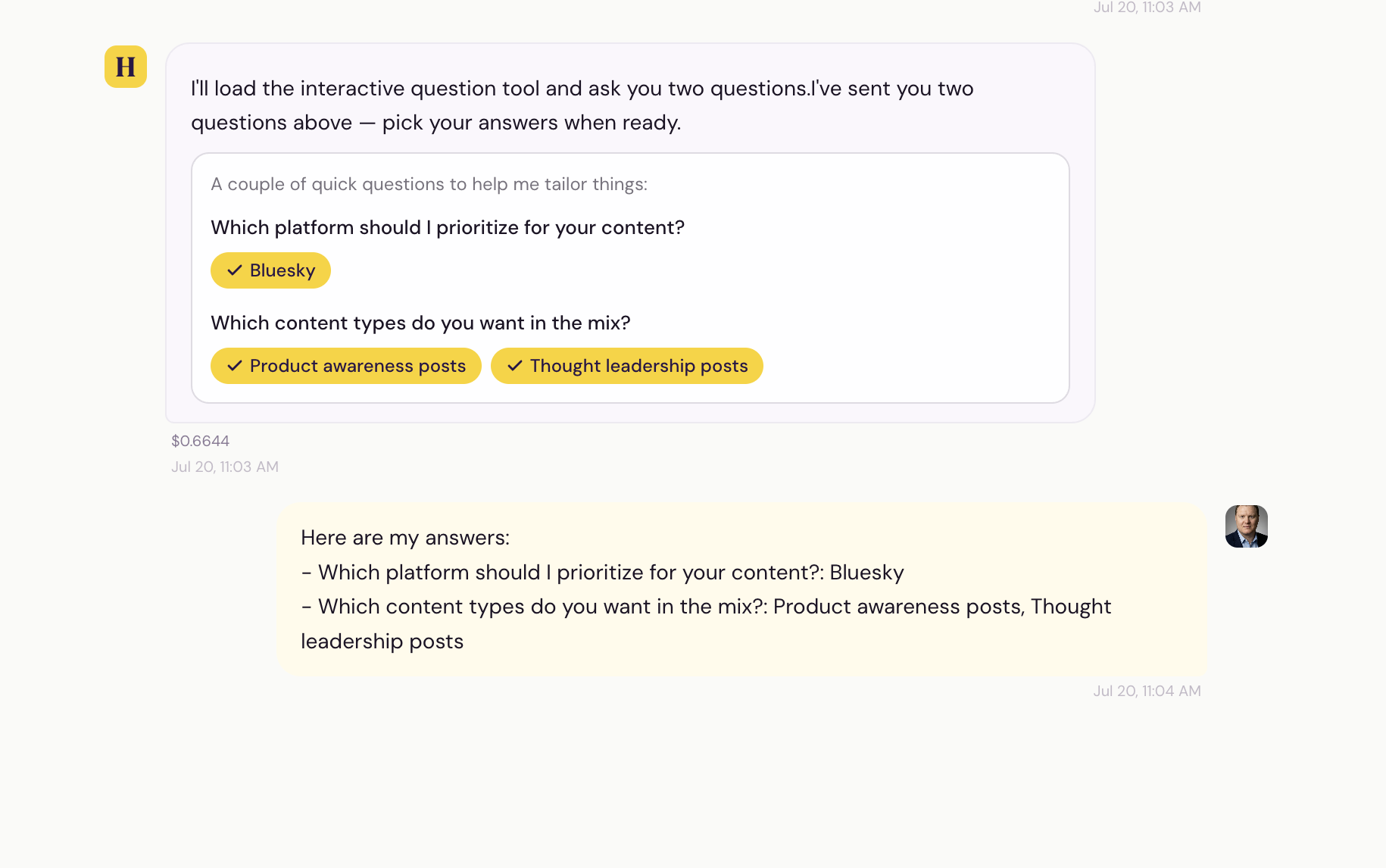
Chat is easier to read and quicker to answer. When HERALD needs a decision from you, it now asks with clickable options instead of a wall of text, so you can just pick and keep moving. And when it runs the same kind of step several times in a row, those updates fold into one tidy line instead of stacking up down the page.
A more guided way to get set up
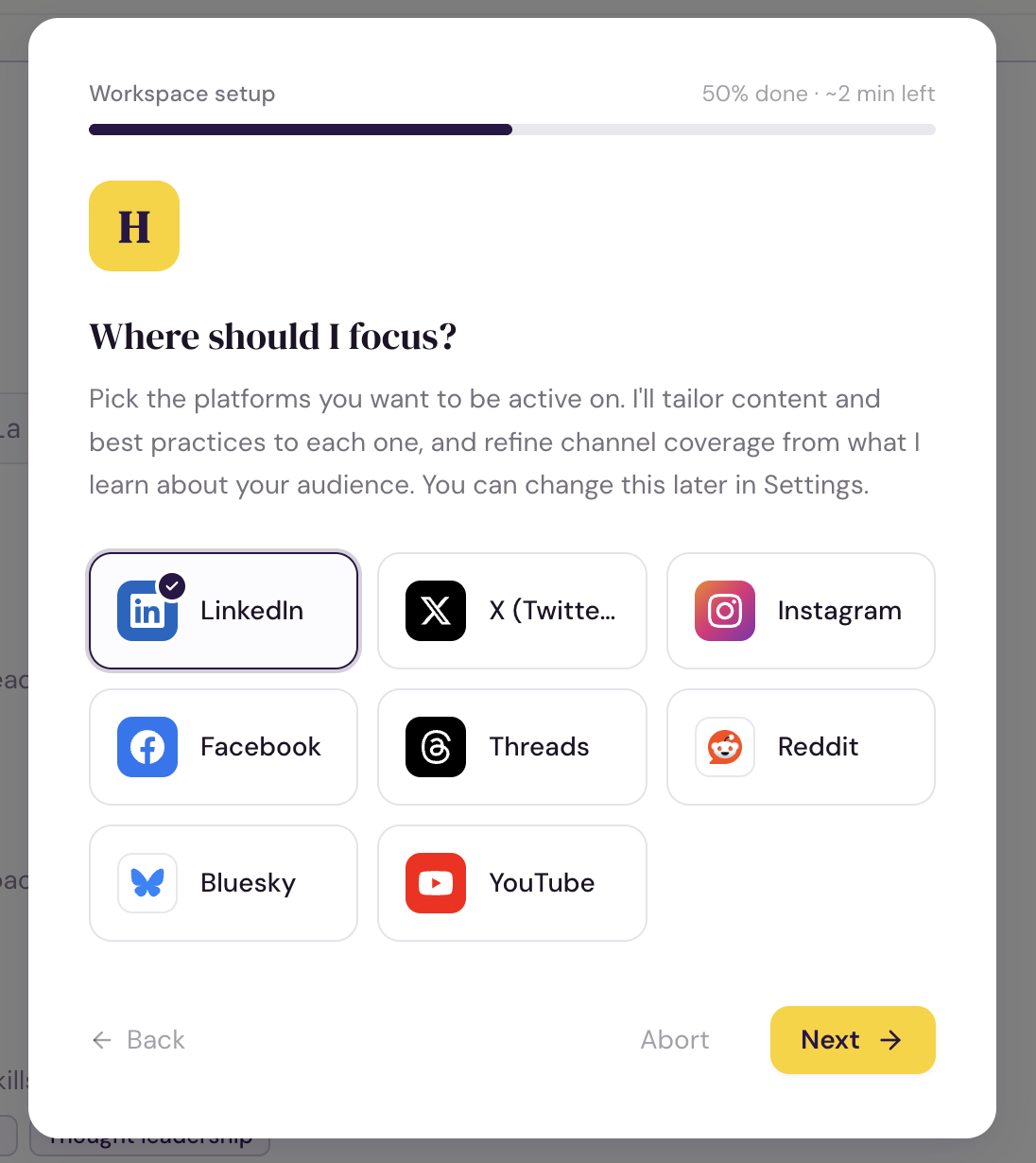
Getting set up now walks you through the things that make HERALD write like you. Pick the platforms you actually post on, set a visual style once so your images stay on brand, and move through setup in stages instead of one long form. HERALD anchors its first research to your own company domain, so what it learns is about you and not a lookalike with a similar name. If you were invited into a workspace by someone else, that first run is smoother too.
Hashtags that fit each platform
HERALD now follows each platform's own hashtag habits when it writes. That means the right kind and number of hashtags for wherever a post is going, instead of one blanket style everywhere. Your posts read as native to the place they land.
See how set up your workspace is
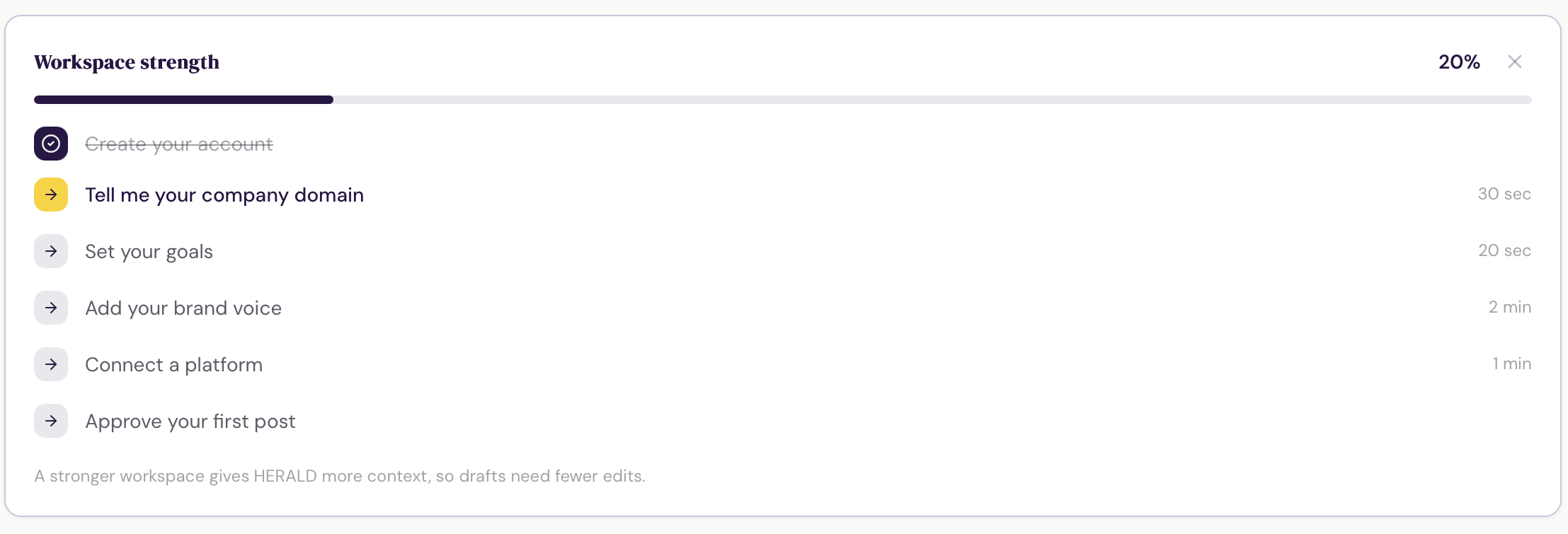
A new card on your dashboard shows how ready your workspace is, with a short checklist of quick wins that help HERALD write more like you and less like a template. Work through them at your own pace. Once you are set up, the card tucks itself away.
A smoother way to sign up and get started
Signing up is quicker. Your name is filled in for you from your email, a show and hide control replaces the repeat-password field, and if you already have an account you get a direct link to sign in or reset your password.
Getting started is clearer too. Onboarding now shows a progress bar with an honest read on how far along you are and how much time is left, and it suggests a few goals up front so you can start with a click. The goals you pick reach the agent right away, so it stops asking you for something you already told it.
Your writing samples are never lost
When you set up your writing voice by pasting in a few of your own posts, those posts are now saved before HERALD studies them. If anything goes wrong while it is learning your style, your examples are still there. You never have to track them down and paste them in again.
A more honest analytics summary
The written summary at the top of your analytics is more careful about what it does not know. When a platform simply does not report a particular number, the summary now treats it as unavailable instead of reading it as a zero. No more invented explanations for a dip that never happened. If a number is not there, the summary says so and moves on.
Hand a workspace over to its owner
If we set a workspace up for you, it can now be handed over properly. You get a banner in your dashboard, you review what you are accepting, and only when you approve does the workspace become yours. It then runs on your plan, with your billing.
Nothing moves without your click, and the transfer can be called off by either side until you approve it. Connected accounts are cleared out on handover, so you reconnect your own platforms rather than inheriting someone else's.
Auto-publish saves, and the chat box stays put
Two small annoyances gone. Turning auto-publish on now saves reliably the first time instead of failing silently. And the chat input stays where it belongs, at the bottom of the screen, instead of being pushed out of view when a banner is showing.
Honest status on your first comment
Some platforms quietly hold a comment for review and answer with an error even though the comment goes live. HERALD used to read that as a hard failure and show you a red "Not posted" on a comment that was in fact published. It now shows an honest, uncertain state instead of asserting something it cannot know.
The agent also stopped writing bare links into first comments on platforms where a raw URL is not clickable and tends to get flagged. It writes a short pointer to the link in your profile instead, which is what actually works there.
A help center that keeps up with the product
The help center has been brought back in line with everything shipped over the last few weeks: campaign linking, review filters and search, character limits, first comments, and how autopilot picks its accounts. There is also a new "Getting the most out of HERALD" page in Get started, with the practical habits that make the agent write more like you and less like a template.
Filter and search your review board
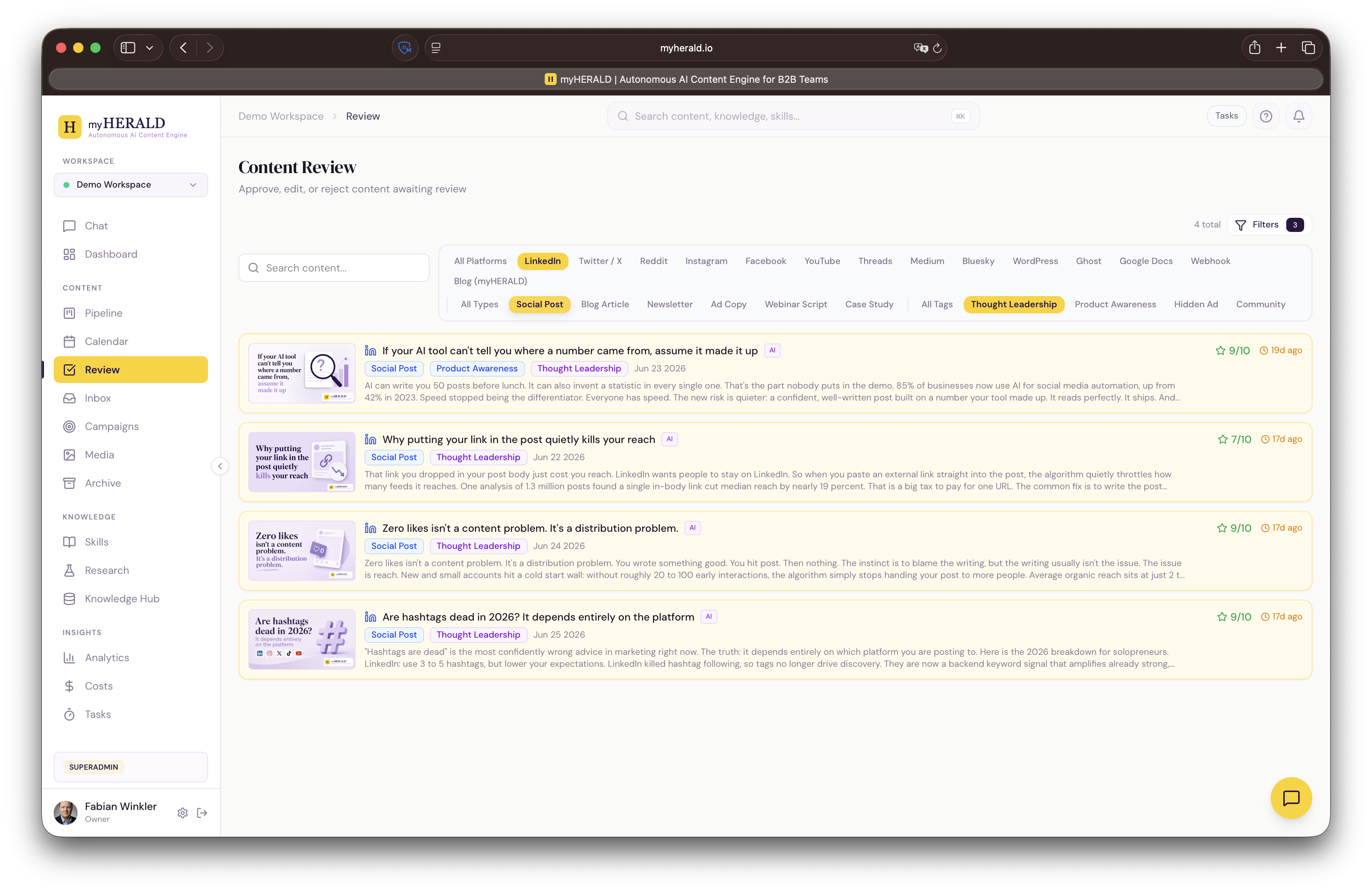
The review overview now has the same filters and search you already use on the board. Narrow by platform, status, or content type, or type a keyword to find a specific post, so a long queue stops being a wall of cards. Useful once you have more moving through than fits on one screen.
Add content to a campaign in a couple of clicks
You can now tie a post to a campaign straight from the interface. Open a campaign and add existing content to it, or attach a post to a campaign while you review it, without going through chat. Everything you are running under one theme stays grouped where you can see it.
Autopilot you can check on, planning only where you post
The Autopilot card now shows how its last run went and exactly when the next one is due, so you are never guessing whether it is working. It also stops planning posts for accounts you have de-selected, so it only lines up content for the places you actually publish to.
myHERALD now speaks German
myHERALD is now available in German. The marketing site, sign-up and login, pricing, integrations, the legal pages, and the cookie banner all read in proper German, and you can switch between English and German from the top bar any time. It is real localization, written for German readers, not a machine translation laid over English.
Bring your own draft
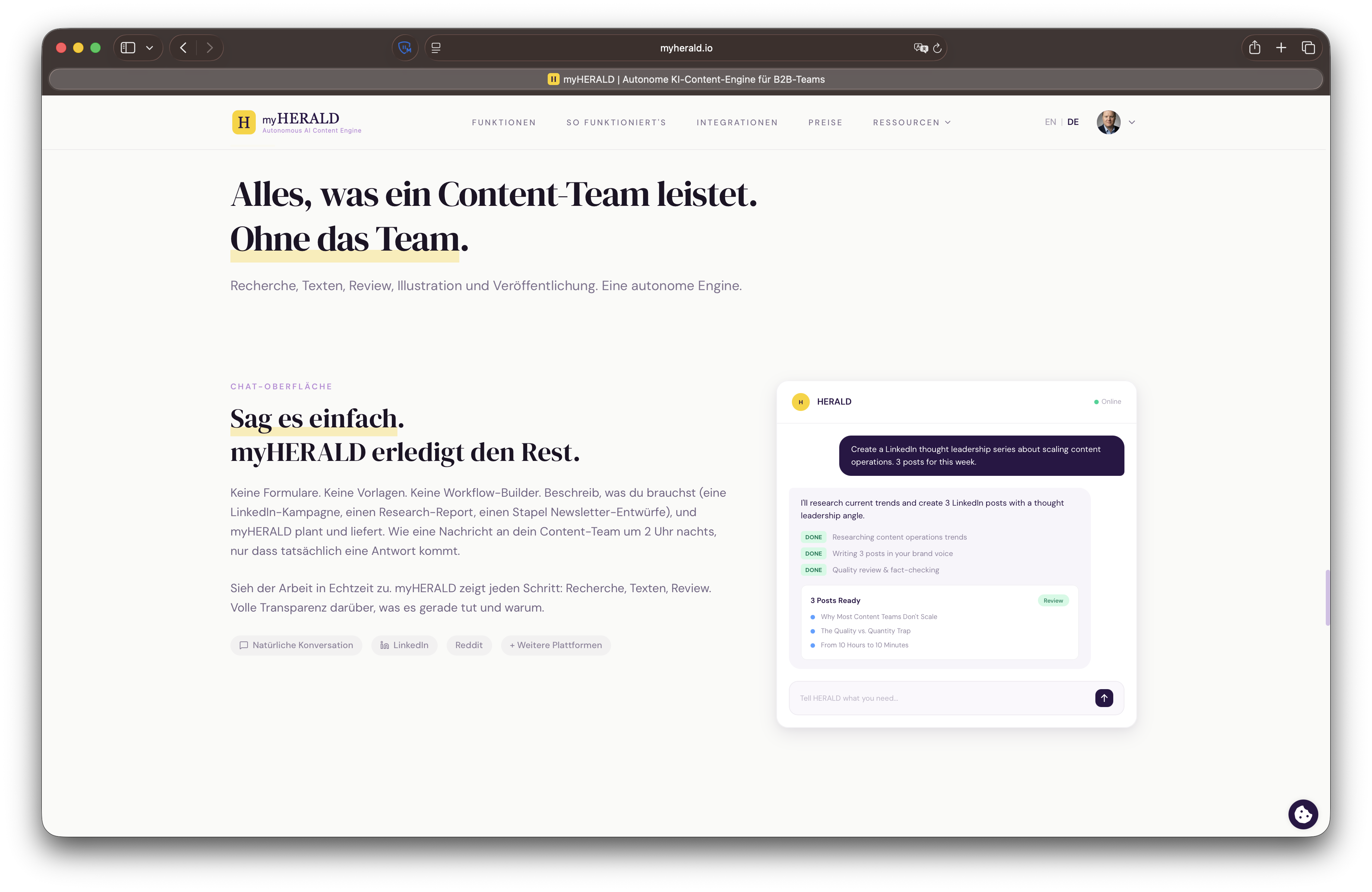
You do not have to start from a blank prompt. Hand HERALD copy you have already written in chat and it will save it as a post exactly as you wrote it, instead of generating a new version. Handy when you already know what you want to say and just need it in your pipeline.
Never post past a platform's limit
HERALD now knows each platform's character limit and checks your post against it before anything goes out. If a post runs long for where it is headed, you see it right in the editor and again at publish time, so nothing gets rejected or cut off for length. Every connected platform is covered.
Post to the right account, and see clearly when one fails
Publishing is clearer when you run more than one account. Each platform now has a default destination, and a guard keeps a post from going somewhere you did not intend when several accounts are connected. In review, a failed publish now shows its own error banner, kept separate from a post that is simply overdue, so you can tell at a glance what actually needs your attention.
Notification emails that name your workspace
The emails HERALD sends you got a cleaner, more consistent look. Alerts now name the workspace they are about, so if you run more than one you can tell at a glance which workspace a notice belongs to instead of guessing.
Test your connections and read your schedules at a glance
A round of upgrades across settings. You can now test a platform connection right from settings, so you know it works before you rely on it. Your automations now spell out their schedule in plain language instead of a raw expression, so you can tell at a glance when each one runs. Skill editing, the logo badge, and the calendar all picked up fixes in the same pass.
Place your logo badge anywhere on the image
You can now choose where your logo sits on a generated image. Pick the corner that fits your layout instead of taking the default spot, so the badge lands where it looks right for the piece you are making.
Disconnect means disconnected
When you disconnect a social account, reset a workspace, or delete your account, HERALD now revokes its access with the platform right away, not just on our side. Cut a connection and it is cut everywhere, so nothing is left holding a link you have already removed.
Choose which LinkedIn account a post goes to
If you have more than one LinkedIn destination connected, your personal profile and a company page, you can now pick exactly which one a post publishes to. No more guessing where a post will land.
Campaigns you can edit and color-code
Campaigns are no longer locked once you create them. Edit a campaign's details any time, give it its own color, and that color now follows every post tied to it. At a glance you can see which campaign a piece of content belongs to, right on the card, across your calendar and your lists.
Autopilot now plans around your campaigns
Autopilot got more deliberate about what it makes. It now plans content campaign by campaign, so each week's drafts ladder up to the goals you set instead of standing on their own. Your autopilot output stays tied to the work you actually care about.
Review and approve in fewer clicks
The review queue is faster to work through. Each item now shows its preview image alongside the post, and you can approve or edit right there in the row, so you move through what is waiting for you without opening every post first.
A cleaner, faster content calendar
The calendar is easier to scan. Empty weeks collapse so your eye goes straight to the days that have content, the cards are more compact, and hovering a card gives you a quick preview without leaving the view. Click into a day to expand it inline when you want the detail.
Your logo on every generated image
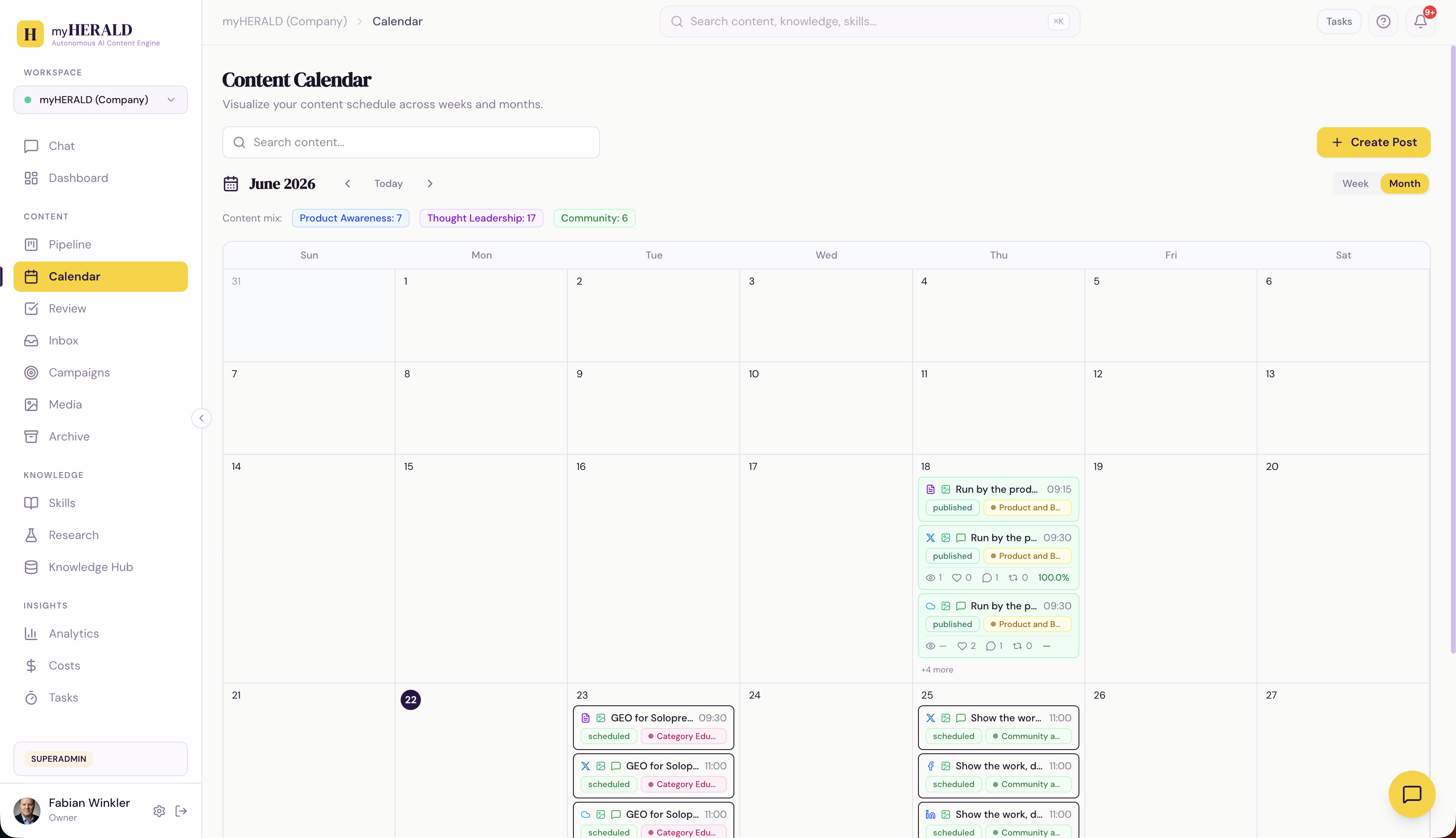
Images HERALD generates now carry your brand. Your logo is placed automatically as a badge on each generated image, so what you post looks like you without an extra editing step. The image generation also got an upgrade, with sharper results that stick closer to the brief.
Add a first comment to every post
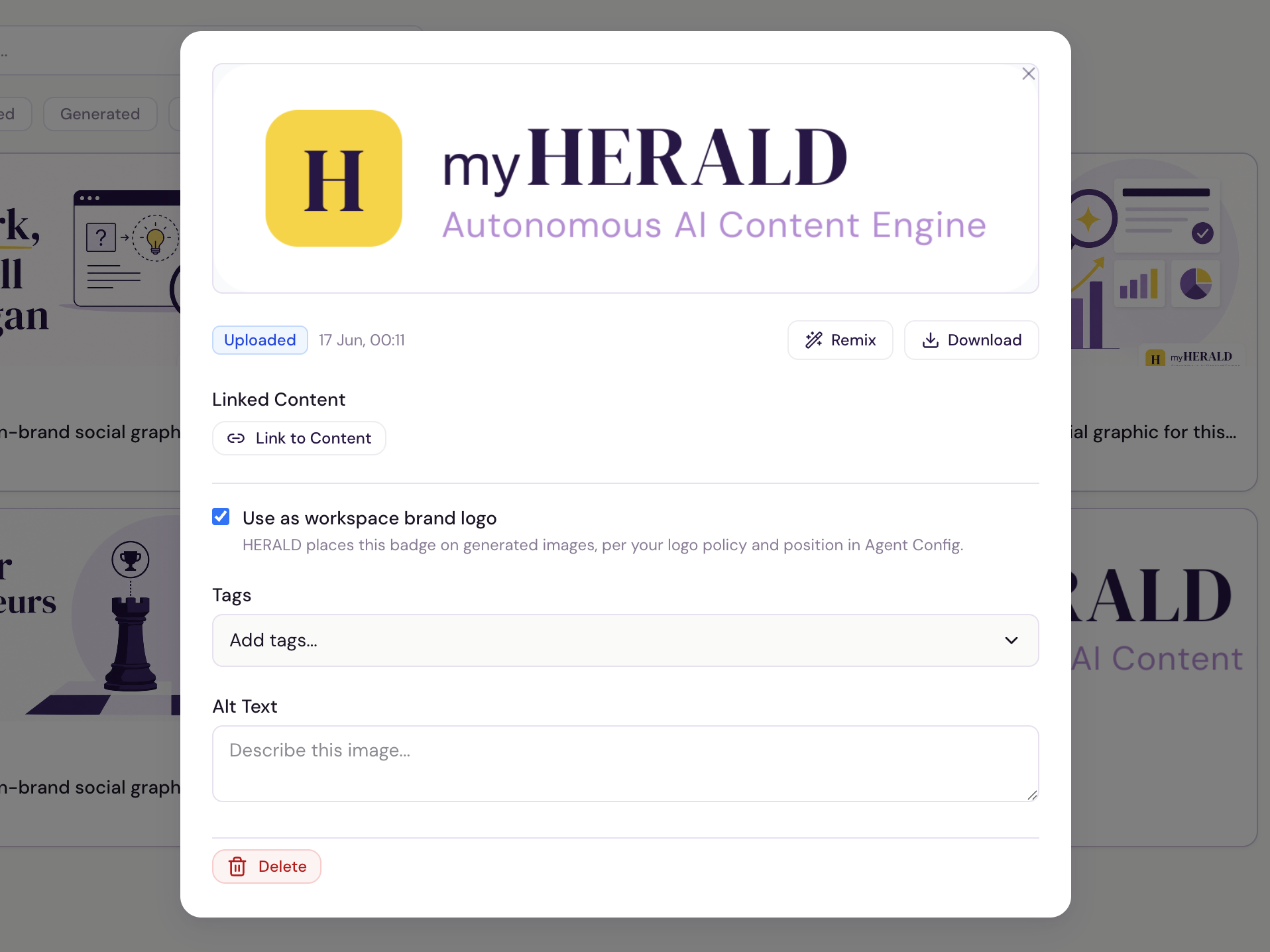
You can now attach a first comment to any post. It is the right home for your link, your sources, or a follow-up thought you want kept out of the main body. When the post goes live, HERALD posts that comment as the first reply automatically on your connected platforms, so the link sits in the comments where it belongs instead of crowding the post. Where a platform does not allow auto-posting, the comment is ready to copy and paste.
Put your content on autopilot
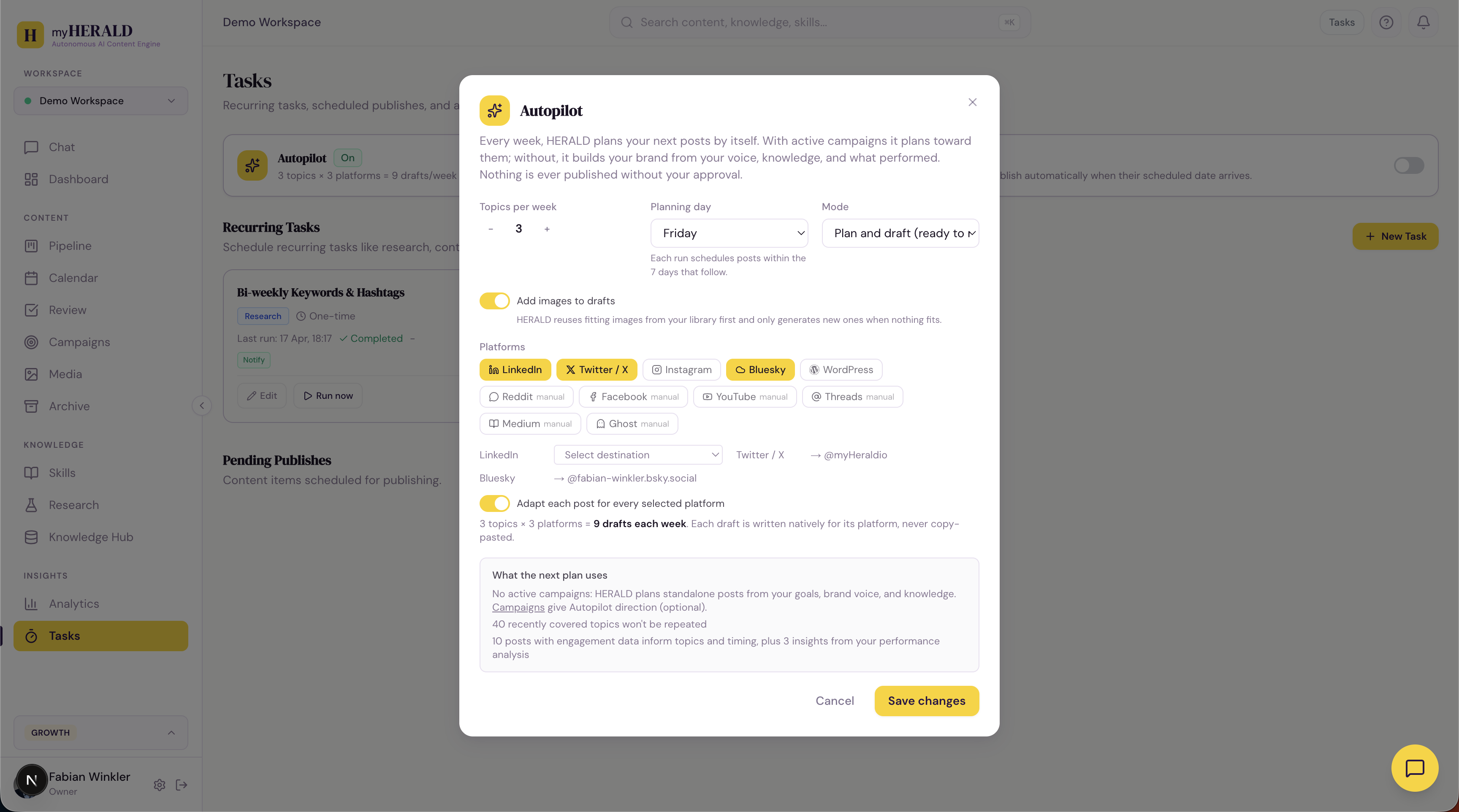
Turn on Autopilot and HERALD plans your week for you. Once a week it picks fresh topics, drafts a post for each platform in that platform's own style, and lines them up against the posting targets you set. Everything still waits for your approval, so you stay in control.
Before a plan runs, you can see exactly what it will draw on, your campaigns, recent topics, and the goals you set. Platforms you have not connected yet can still be planned for manual posting. One toggle on the Tasks page, and your calendar starts filling itself.
Teach HERALD your voice
New workspaces no longer start from a blank page. HERALD now ships with real writing skills out of the box, including a hook-first brand voice guide and craft guides for LinkedIn and X, so your first drafts already sound the part.
Want it to sound like you? Paste in a few of your own posts and HERALD distills them into a brand voice guide, then keeps them as examples to write from. You will find it on the Skills page and as a step in onboarding.
HERALD learns from your edits
When you tweak a draft before approving it, those edits no longer go to waste. HERALD now notices the changes you make and remembers them as preferences, so the next drafts come back closer to how you would have written them. The more you edit, the less you have to.
Advance notice when our sub-processors change
If we ever add or replace one of the third-party services that help process your data, you will now be notified automatically, with time to review the change before it takes effect. It is part of keeping our GDPR commitments clear and on the record.
Attach a screenshot to bug reports
Reporting a bug is quicker now, with a lighter form, and you can attach a screenshot so we can see exactly what you saw.
Automatic data cleanup
We hold less of your data for less time. Old performance data is cleared on a regular retention schedule, and accounts that have gone dormant on a free or expired trial are removed automatically, always after advance email warnings so nothing disappears without notice. Active and paying accounts are never affected.
A lighter, collapsible sidebar
The sidebar got a brighter, lighter color scheme and can now collapse to a slim rail when you want more room for your work. The trial and usage card tucks away by default and expands when you want the detail.
Reset your workspace yourself
Want a clean slate? You can now reset a workspace to empty yourself, without contacting support. Available on single-workspace plans.
Remix images from your library
Start from an image you already have. Pick any picture in your library and generate a new variation of it, so you can iterate on a look instead of starting from a blank prompt every time.
A calmer first-run onboarding
Onboarding is smoother and harder to lose your place in. A resume banner picks up exactly where you left off and clears itself once you are done. The initial research pass uses a faster, lighter default and pauses at checkpoints, so you stay in control of how deep HERALD goes before it commits.
Watch research happen live
Standalone research runs now stream live, so you can watch a report come together step by step instead of waiting on a spinner. You also get a cost estimate up front, before the run starts, so there are no surprises.
More reliable trial invitations
Trial invitations now accept on the first click, work for brand-new users signing up for the first time, and show a clear error if something goes wrong instead of failing quietly.
Export anything to Google Docs, PDF, CSV, or Excel
Export is now everywhere. From your content, research reports, and other surfaces across the app, you can send work out as a Google Doc, a PDF, a CSV, or an Excel file in a couple of clicks.
For Google Docs, a folder picker lets you choose exactly where a copy lands in your Drive, and you can bookmark several folders and set a different destination per item. HERALD only ever touches the folders and files you point it at, nothing else in your Drive.
Your analytics dashboard, redesigned
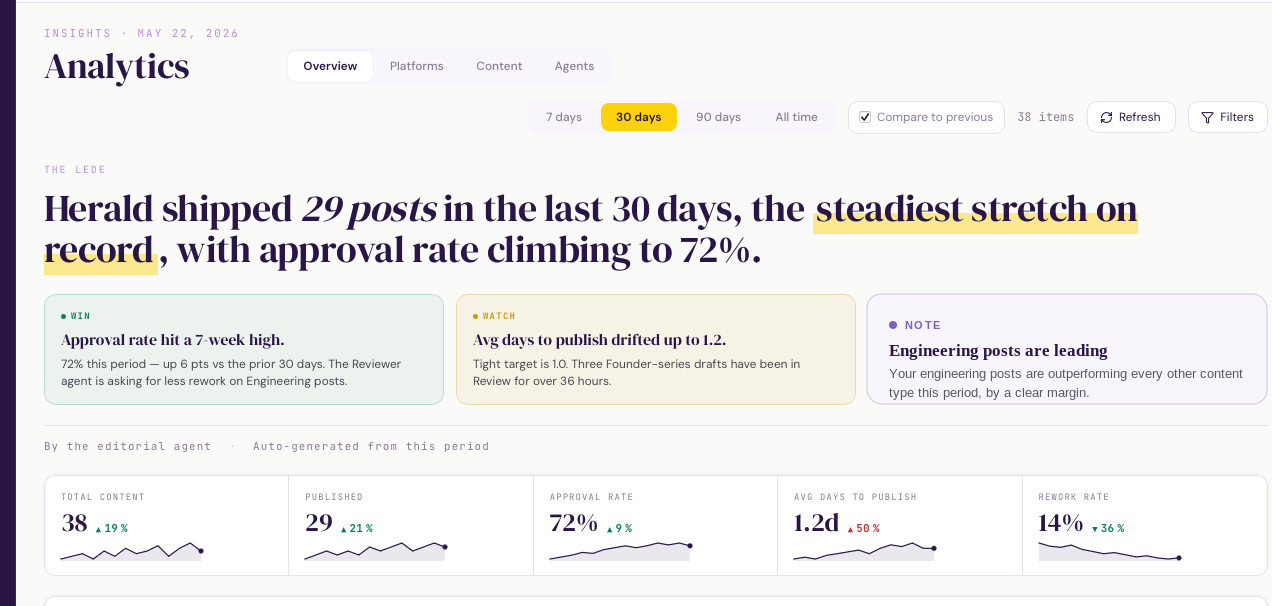
The analytics dashboard has a new look and a new way of reading it. Instead of a wall of numbers, the top of the page now opens with a written summary that tells you, in plain language, how your content has been doing and what changed since last time. Insight cards underneath call out the highlights worth your attention.
The whole view is now mobile-friendly, so you can check how things are performing from your phone. Performance for your published content sits in one place, sorted by date.
Create skills by hand, and switch them off
Skills are no longer something only the agent writes. A new skill-creation modal gives you the full set of editor fields, so you can author a skill from scratch and bind it to the platforms, content types, and tags it should apply to.
Every skill now has an enable/disable toggle on its detail page. Switch a skill off to take it out of the agent's loop without deleting it, then flip it back on when you need it again.
Onboarding goals and email updates
First-run onboarding now asks what you're trying to achieve, so HERALD starts with your goals in mind instead of a blank slate.
HERALD will also email you when it needs you. You get a note when content is ready for review, and when an agent run hits an error, so you can step away from the dashboard and still stay in the loop.
Create and edit posts by hand
You no longer have to go through chat to get a post into the pipeline. Create a post directly from the Kanban board or the calendar, pick its platform target inline, and start writing.
The editor is now WYSIWYG: a markdown toolbar for formatting and a live, platform-aware preview so you see how a post will look on each destination before it ships. On the review page, title, target, body, and rationale are all editable in place, and formatting renders properly in view mode instead of showing raw markdown.
A faster dashboard and steadier publishing
The dashboard is lighter on its feet. Polling pauses when a tab isn't visible, and a middleware cache plus realtime updates cut redundant requests, so pages feel quicker and the app does less work in the background.
Publishing got more dependable too. Scheduled posts notify you when they go out, the publish and rollback paths are unified so a failed publish cleans up after itself, and status stays in sync with the scheduled date. If a chat session loses its connection, HERALD recovers and replays the prior transcript instead of dropping your conversation.
Step-by-step setup guides for every integration
Connecting a platform no longer means guessing. Each integration now has its own setup guide, linked straight from Settings, that walks you through exactly what's required. LinkedIn, Twitter/X, Bluesky, WordPress, Google Docs, and webhooks each get a page covering credentials, permissions, and the steps to get from disconnected to publishing.
Publish to WordPress, Google Docs, and webhooks
WordPress is now a first-class publishing target. Connect any self-hosted WordPress site with an Application Password, and HERALD turns approved markdown into a clean WordPress post (title, body HTML, excerpt, and featured image), saved as a draft for review or pushed live from the publish dialog.
Google Docs publishing is fully wired: pick a folder in My Drive or any shared drive, and approved content lands there with native heading, list, and link rendering. There is also a "save a copy to Drive" toggle so any LinkedIn, Twitter, or Reddit publish can archive itself as a Doc automatically.
Webhooks are now generally available with multiple targets per workspace, custom auth schemes, and JSON payload templates. They are a clean escape hatch for routing approved content into your own systems.
Smarter Knowledge Hub
The Knowledge Hub now handles long-form sources properly. PDFs are read page by page so even hundred-page reports stay searchable. Excel and CSV uploads render as readable markdown tables in the detail view. Bulk delete clears multiple entries at once.
Knowledge entries extracted from a research report now keep a link back to the original report. Open any statistic and you can trace it back to the report (and the URL) that produced it. Source citations on automatic extractions are now full markdown links, not just publisher names.
Review page polish and an audit trail
Every action taken on a content item now lives in an activity log on the review page: who edited, who approved, who published, with timestamps. Once a piece is published, the body is locked to prevent accidental overwrites. Unlock with a single click if you need to edit. The action bar got a tighter layout so the primary actions stay above the fold on smaller screens.
Approval gating is now consistent across every platform. An item must be explicitly approved before any publish target (LinkedIn, Twitter, Reddit, Bluesky, WordPress, Ghost, Google Docs, or webhook) will accept it.
Tell us what's broken (or missing)
Two new buttons in the sidebar: report a bug, request a feature. Both open a small in-app form, drop a confirmation email in your inbox, and create a tracked issue we can act on. No more "I'll email Fabian later". The next time something looks off, click the button.
Viewers see what's blocked, integrations have a home
Workspace viewers used to hit silent 403s on actions they couldn't perform. Now the UI is upfront: buttons disable with a clear "viewers can't do this" hint, and admin-only sections explain why instead of just refusing.
The new /integrations page lays out every supported destination: what it does, what's required to connect, and what's still on the way. Each entry has its logo, a capability list, and a direct link into Settings, useful when you're deciding which platforms to wire up first.
Media library, GIF support, and faster orchestration
The Image Library is now Media: GIFs, PDFs, and videos sit alongside images, with a built-in PDF viewer and inline video previews. GIFs are frozen as they move through the pipeline. Twitter Premium tier is auto-detected. OAuth tokens refresh proactively. Sonnet and Opus orchestrators gained tool search for cheaper, faster runs.
Video publishing on LinkedIn, plus OAuth groundwork for X and Reddit
Video upload and preview are now first-class, including LinkedIn video publishing. Platform-specific media validation runs across the UI, API, and agent. Twitter/X (OAuth 2.0 PKCE) and Reddit (OAuth 2.0) landed as internal POCs to validate the auth flows, but publishing on those platforms is not production-ready yet.
LinkedIn carousels, multi-image, and posting targets
Multi-image posts and PDF carousels are now supported, with image management on the review page. LinkedIn OAuth moved to server-side credentials with selectable posting targets (personal or organization). Settings lists every connected publishing account with enable and disable toggles.
Brand avatars in chat
Chat now uses a Herald avatar for the agent and a user avatar (photo or initials) for you, with refreshed bubble colors. Gemini-generated images carry an explicit AI flag for transparency.
Kanban sorting and an archived flow
The kanban gained per-column sort menus and a dedicated archived flow. Scheduled tasks now recalculate their next fire time when you change the cron expression.
EU compliance, SEO, and a stack of small fixes
A focused pre-launch sweep: EU compliance audit fixes (GDPR, AI Act, DSA), SEO fixes across the marketing site, a stricter reviewer that enforces a full re-review and tighter em-dash rules, and a manual publish option. Plus Google OAuth redirect and post-login redirect fixes.
SDK skills are part of the agent loop
Skills defined through the SDK are now wired directly into agent runs, so the full skills catalog is available without extra glue.
Marketing consent edge cases
A round of careful fixes around marketing consent: middleware lets the confirm-marketing route through, re-consent upserts behave, redirects use the correct host, and Loops only writes consent fields when consent is actively given.
Plain-text formatting rules and atomic publish
The writer follows plain-text formatting rules tuned for LinkedIn and X, with a publish safety net that catches stragglers. Trial limits raised to 10 content pieces, 3 research reports, and 10 images. Calendar and timestamps are now timezone-aware.
Tighter legal pages and consent plumbing
Privacy and T&C strengthened with AI IP disclaimers, indemnification language, and an updated sub-processor list. The Silktide consent manager now gates GA4 and PostHog cookies properly.
Waitlist mode and Loops email
A waitlist mode swaps every signup CTA for a waitlist modal with GDPR consent. Marketing consent moved to a normalized table that both the waitlist and user profiles reference. Loops handles welcome emails and unsubscribe sync.
New site, blog, changelog, and analytics
The marketing site was rebuilt with new navigation, pricing, contact, and about pages. Blog and Changelog infrastructure landed with tag filtering and search. Full analytics tracking wired up across PostHog, GA4, and Supabase.
Stripe billing live, plus usage tracking
Stripe billing is wired end to end: checkout, customer portal, webhooks, and a trial banner. Usage tracking landed for content, images, and research. New: avatar upload, default workspace per account, and a restructured data export flow.
Plan and Billing rebuilt
Plan and Billing reordered (manage, billing period, usage, then plans) with cleaner cards and founding-price highlighting on the active plan. Workspace deletion now cleans up all storage files.
Pricing tiers, founding offer, and EU compliance
Pricing tiers go live with usage limits, a feature comparison page, and a live founding-member counter. Landing page copy was rewritten for clarity. GDPR and EU AI Act compliance pieces ship: AI disclaimers, badges, data export, refreshed terms. Connected platforms now have a per-tier limit, and API Credentials was renamed Integrations.
No more double posts
Publishing now uses an atomic status claim, which prevents the same post from being published twice when retries or race conditions kick in.
Auto-publish overdue posts
Approved posts that miss their slot can now auto-publish, with overdue items highlighted on the kanban. Drafts started in chat persist across navigation, and the kanban gained a hide-empty toggle.
UI polish and a sturdier review flow
A wide pass of UI polish, scheduler stability, and an overhaul of the review experience.
C2PA Content Credentials and Brave Search
Uploaded images are now scanned for C2PA Content Credentials, with AI metadata tooltips so you can see at a glance what was generated. Brave Search is selectable as an alternative to WebSearch. The chat composer is centered Claude-style, and the stop button reflects state instantly.
Knowledge Base chunking and an in-process scheduler
The Knowledge Base now chunks long entries with a markdown-aware splitter, so retrieval pulls multiple relevant chunks per source. Research reports can be indexed into the KB with one toggle. Tasks gained a scheduler that works locally without pg_cron.
Tasks wizard and a richer research taxonomy
The Tasks area got a multi-step wizard and per-task toggles for KB, skills, and notify. One-time scheduling joins recurring tasks. Research now spans 12 types across 4 categories.
Scheduled tasks, version history, and a live calendar
Three big pieces drop together:
- Scheduled Tasks with cron and a Run Now action.
- Calendar with an unscheduled sidebar and live updates over Supabase Realtime.
- Content versioning with auto-rework, history, and a side-by-side diff view.
Faster, cheaper agent runs
Consolidated 41 MCP tools down to 11 and trimmed the system prompt. Fewer tokens per turn, faster responses, lower cost.
Image Library and per-agent toggles
The Image Library lands. Browse, upload, generate, and reuse every image across content. Plus a server-side stop button with a message queue (so you can keep typing while the agent is thinking), per-agent toggles, and command palette search across six entity types.
Native image vision and persistent chat sessions
Image vision now runs natively through the SDK. Chat sessions persist their session ID to the database, so conversations survive server restarts.
Drag and drop file upload in chat
Drop files directly into chat to attach them. Messages now show timestamps so threads are easier to scan.
Steadier cost tracking
Fixed a race condition in agent usage tracking and tidied the cost page so the numbers you see are reliable.
Hybrid agent mode and 1M-token context
Hybrid mode lets the orchestrator delegate research and review to subagents while keeping the conversation flowing. Research reports gain real source citations, copy buttons, PDF export, and richer formatting. Context window expanded to 1M tokens.
Voice input, taxonomies, and research from chat
Voice input lands in chat via OpenAI's transcription model. A flexible taxonomy system lets each workspace define its own platforms, content types, and tags. Research workflows can now be triggered straight from chat, with notifications and rich markdown output. Cost breakdown charts arrive on the dashboard.
Herald begins
The first week of Herald: dashboard, agent, workspaces and team management, the VERBULA design system, and a chat-first homepage with a multi-step onboarding wizard. Foundations in place.